

Online Wealth Management Portal Updates
Online Wealth Management Portal Updates
We are excited to share that in August 2026, Heartland Bank Wealth Management will be enhancing the Wealth Management Online portal. This upgrade will provide daily performance reporting, a document vault for secure file sharing and a more user-friendly format.
Some historical documents will not be available electronically after the conversion. If you wish to archive previous statements or tax information, you must take action prior to the August 31 conversion date.
What to Expect
What You Need to Do
A Note on Your August Statements: Because this transition occurs mid-month, you will receive two separate statements for August—one covering August 1–17 in your current format, and a second covering August 18–31 from the new system. This is a normal part of the transition and is not a cause for concern. Beginning in September, you will receive a single statement from the new system.
At a Glance: Wealth Management Client Portal
Our new Wealth Management Client Portal provides streamlined access to your accounts while strengthening communication through secure document sharing. Below is a preview of the Wealth Management Client Portal and the benefits you can expect. (Click an image to enlarge it)
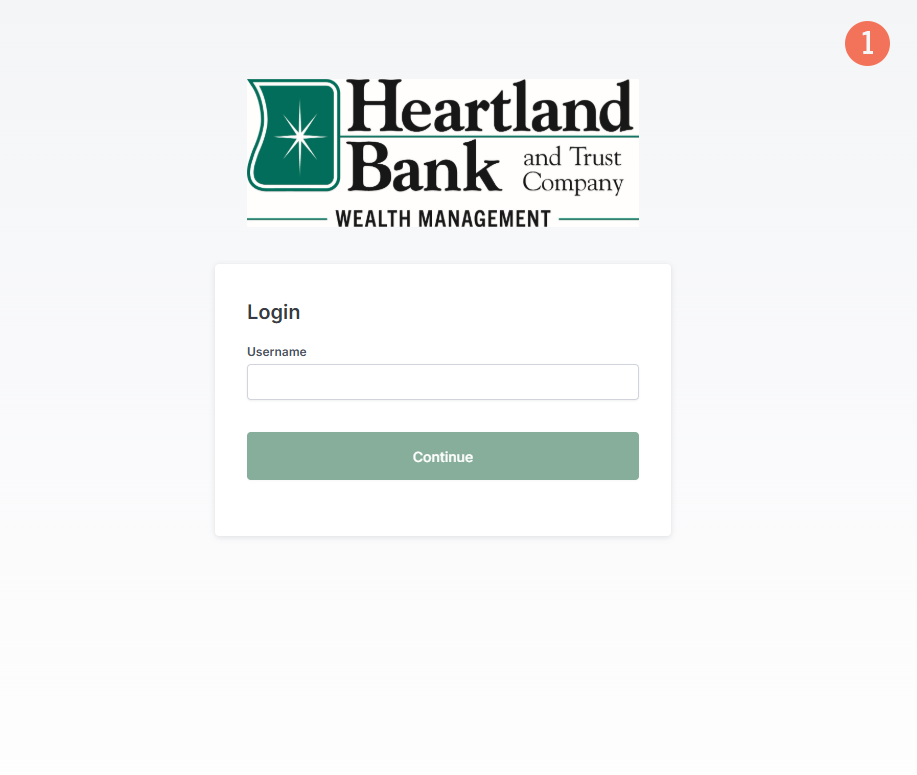
1. Wealth Management Client Portal Login
This is what the login page will look like when you click on the Wealth Management Client Portal link on our homepage.
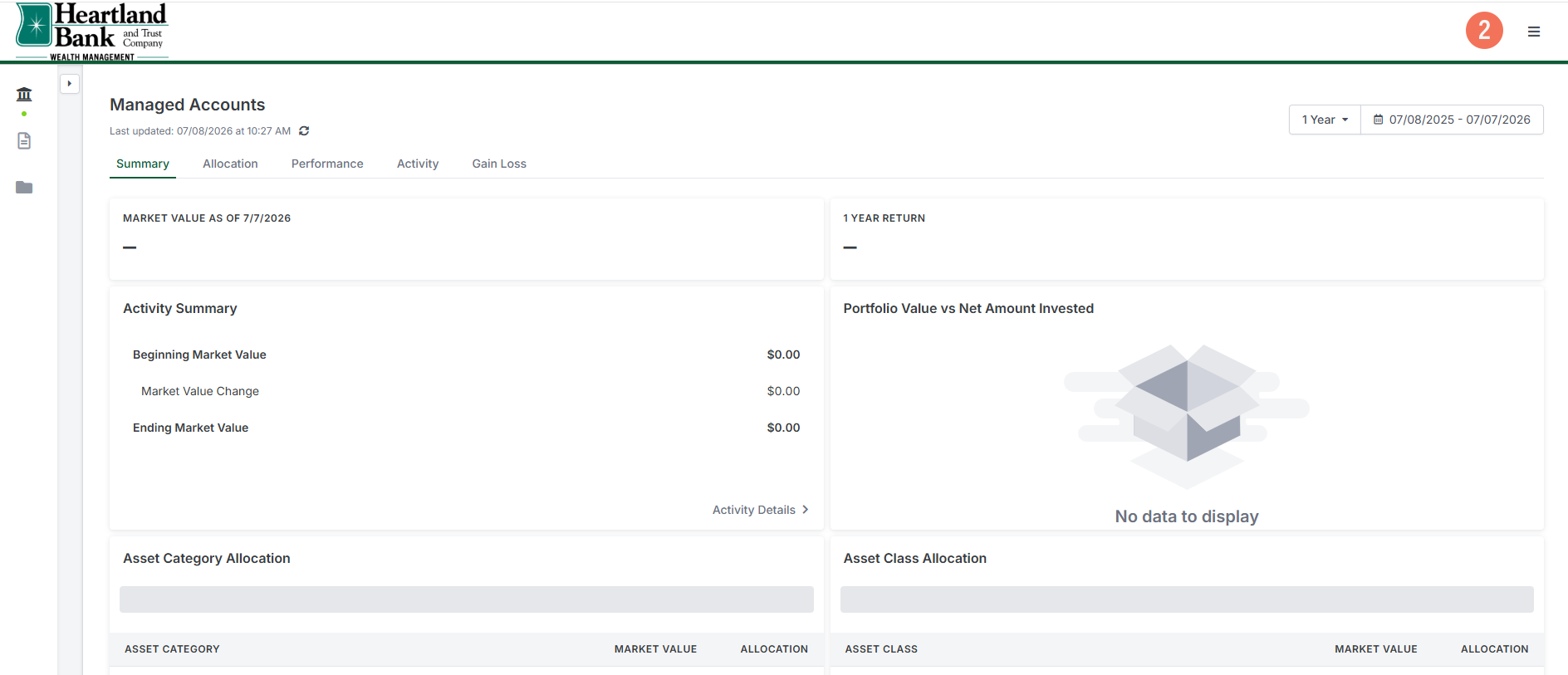
2. Landing Page
Once you log in to your new profile, this is what your landing page will look like. This is where you will view your accounts.
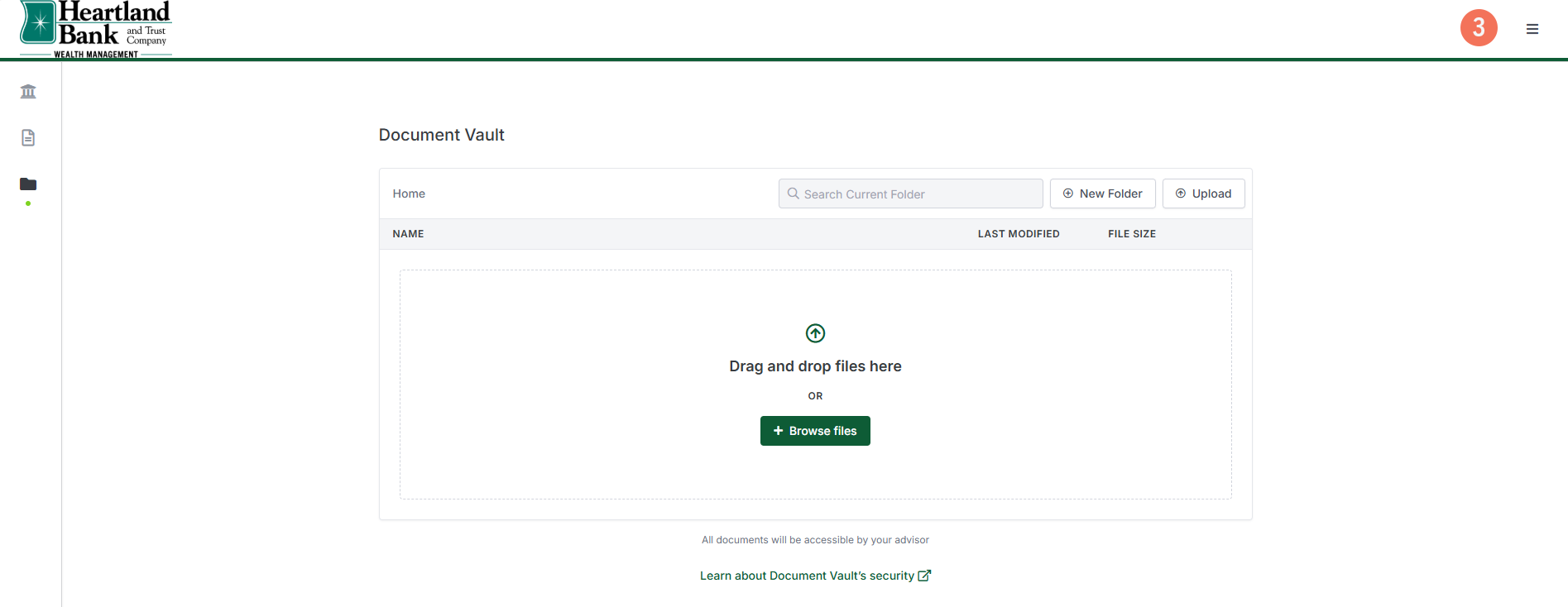
3. Document Vault
The Document Vault is where you will find your monthly statements. Also, new with Document Vault, customers will be able to securely upload documents to our Wealth Management employees.
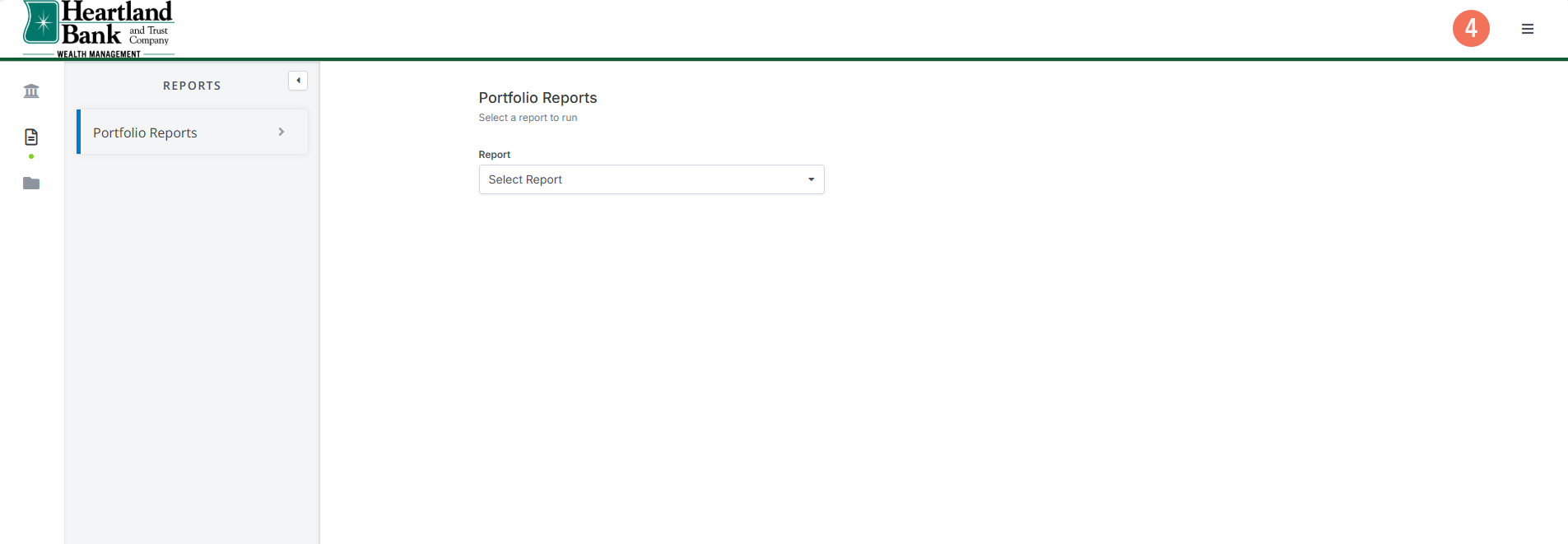
4. Portfolio Reports
This is where you will find and review reports.
Questions or Need Help?
We are excited to bring you an upgraded online account management experience and look forward to serving you through this transition. If we can help with any questions, call us at 855-244-1217.
Frequently Asked Questions
To download your statements in Wealth Management Online (Trust Reporter), follow these steps:
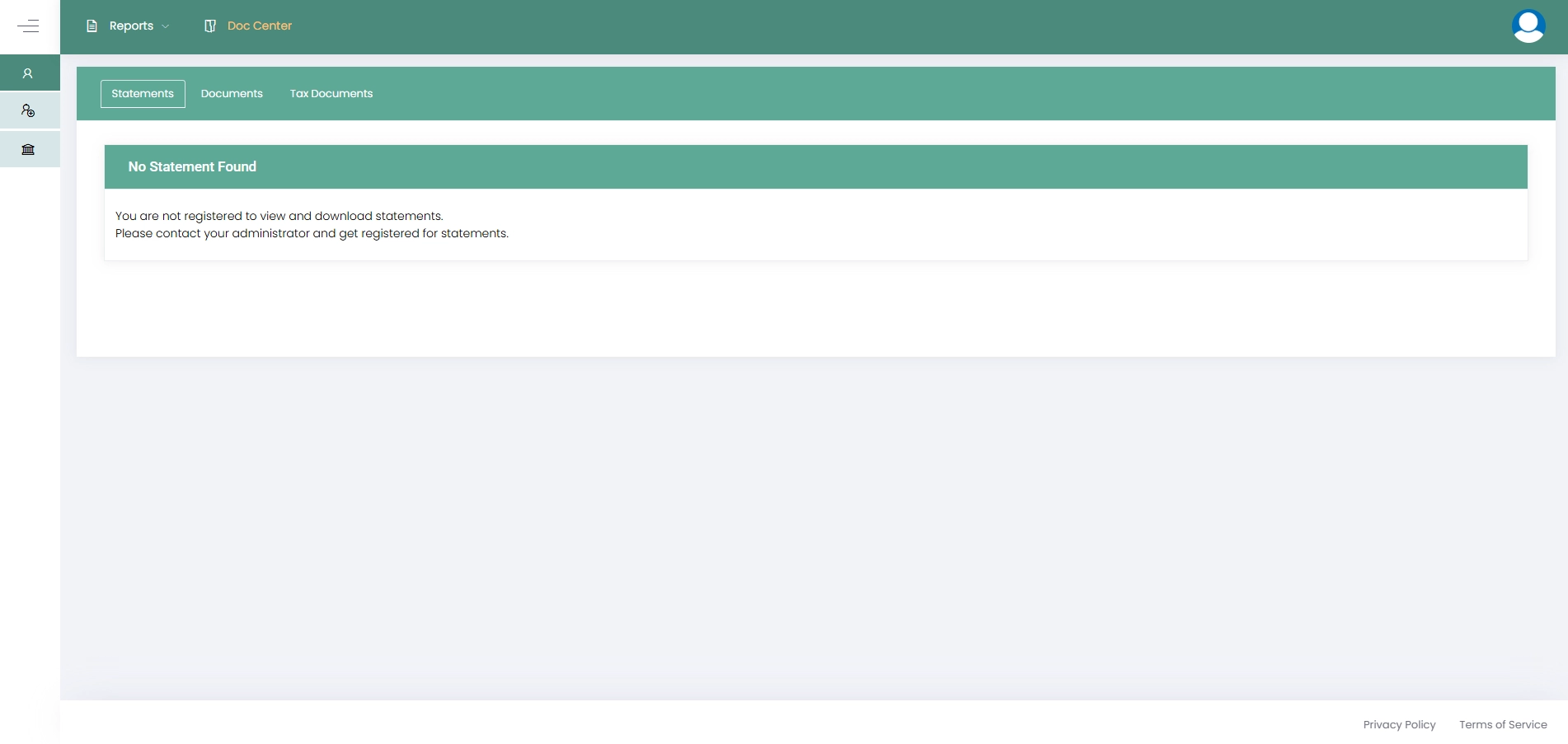
- Sign in to Wealth Management Online (Trust Reporter) as you would normally through the dropdown menu at the top of our homepage.
- Click on the Doc Center tab.
- Once you are within the Doc Center, you can click on the Statements and Tax Documents tabs to download or print your previous statements and documents.
If we can help with any questions regarding downloading your monthly statements, call us at 855-244-1217.
The Wealth Management Client Portal will be listed in the Log In dropdown and accessible from our homepage.
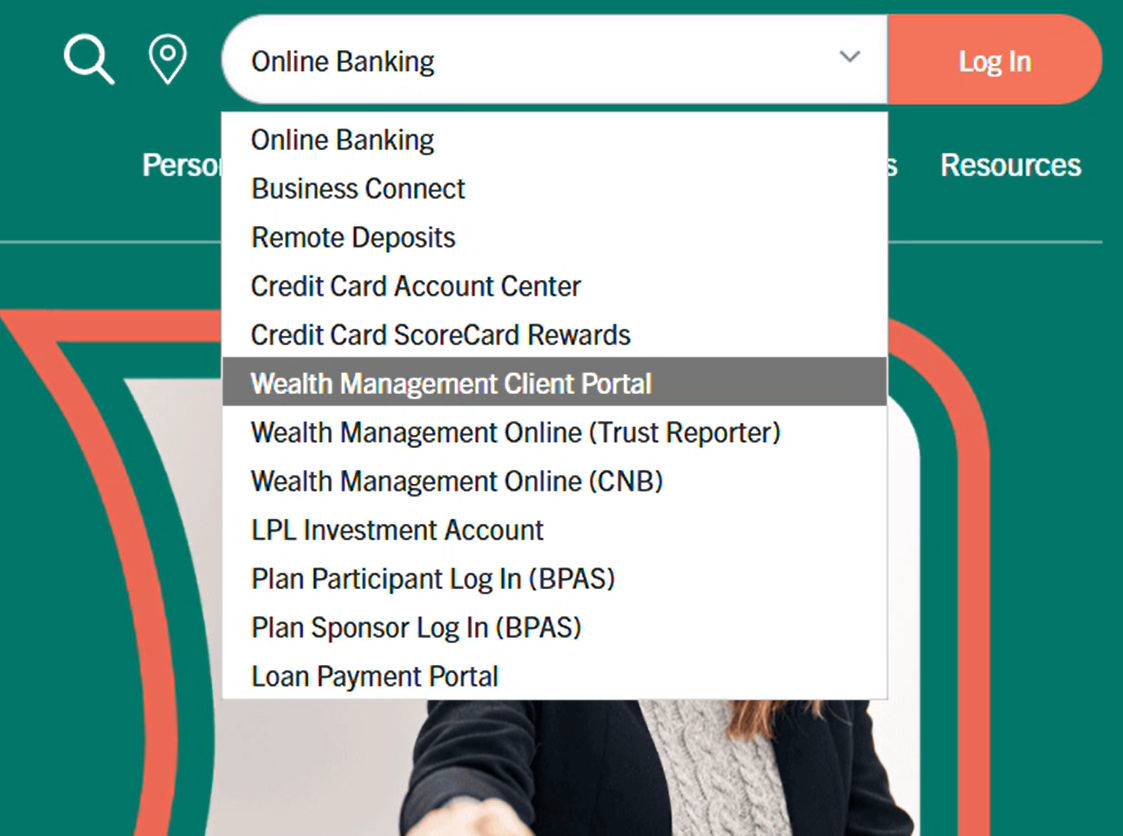
After clicking on Wealth Management Client Portal, you will be prompted to provide your login credentials to access the platform.
Your new login credentials will be mailed to you on August 10, please be on the lookout for them. If you miss the activation window, please call us at 855-244-1217 for login assistance.
The Document Vault is where you will find your monthly statements.
Using Document Vault, you will be able to securely upload documents to our Wealth Management employees.
Securities and insurance products are NOT deposits of Heartland Bank, are NOT FDIC insured, are NOT guaranteed by or obligations of the bank, and are subject to potential fluctuation in return and possible loss of principal.
Heartland Bank and Trust Company Asset Management and Trust Services is not a broker/dealer. Equity and bond trading in customer accounts is transacted through independent broker/dealers.